Where should we start?
A repository overview shows the main parts and how they connect. Your agent can choose files to inspect and follow up with more specific queries.
roam understandFind where to start
Built for coding agents
Roam gives coding agents a reusable code index and free static checks. They can query connections between files and functions, inspect code patterns alongside alternatives from Roam’s algorithm catalog, and check what a change could affect—without building each analysis from scratch.
Free and open source. Static checks run locally without model calls. Your agent's model usage is separate.
Results include source locations, findings, and candidate alternatives for your agent to inspect, test, and build on. Refresh the local index as the code changes.
A real answer: roam impact calculate_total
returned place_order, preview_order and
apply_discount as direct callers in our four-function fixture.
Inspect the captured result and its limits ↓
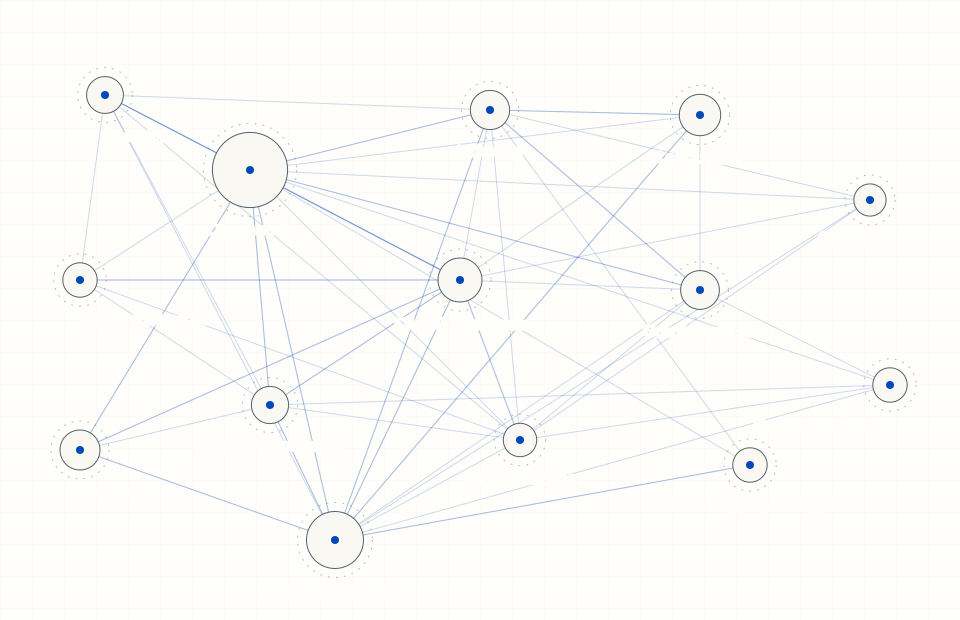
Static source snapshot. Open the full atlas for explanations.
This map shows Roam’s own Python imports. Your agent gets code locations and connections through command-line or connected tools, not this page.
Start with a real code question
A pricing change can affect checkout, previews, and discounts. Roam traces the indexed callers and returns their code locations, giving your agent a starting point for checking the change.
See more questions Roam can answerThe picture is for you. The tools are for your agent.
“What else uses this function?”
calculate_total()checkout/pricing.pyCalled by
place_order()orders.pypreview_order()preview.pyapply_discount()discounts.pyYour agent can check the callers, not just the edited file.
roam impact calculate_totalSelected fields from roam --json impact calculate_total, run on this four-function example with Roam 14.1.0 on 13 September 2026:
{
  "symbol": "calculate_total",
  "direct_dependents": {
    "call": [
      {"file": "checkout/discounts.py", "kind": "fn", "name": "apply_discount"},
      {"file": "checkout/orders.py", "kind": "fn", "name": "place_order"},
      {"file": "checkout/preview.py", "kind": "fn", "name": "preview_order"}
    ]
  },
  "cap_applied": false,
  "partial_success": false,
  "truncated": false
}
What it establishes: these are the callers returned by the indexed traversal in this fixture, without truncation. What it does not: every runtime connection or a safe shipping decision. The agent can follow the paths to inspect the callers. The full captured JSON includes traversal limits and the relative risk score. In this tiny example, three of four functions are affected, so that score is high—not a production-risk measurement. Run the example checks.
Useful at different stages of the work
An unfamiliar repository, a difficult function, or a patch ready for review: start with the question at hand.
A repository overview shows the main parts and how they connect. Your agent can choose files to inspect and follow up with more specific queries.
roam understandFind where to start
Complexity rankings point to functions with difficult control flow. Other checks surface similar functions and dependency cycles. Your agent decides whether a cleanup would help.
roam complexityFind code to investigate
Detected algorithmic patterns come with alternatives from Roam’s catalog. Your agent can compare them against the required behavior before trying a change.
roam algoInvestigate algorithm choices
Your agent can inspect a patch’s connections and look for similar code that may need the same fix. Roam reports the findings and any checks it could not complete, so the agent knows what to investigate next.
roam critiqueLook beyond the patch
Your agent can use the checks that fit the task. Findings are leads; static analysis can miss connections. Refresh the index with roam index after code changes. Explore more examples
A closer look at algorithm choices
Roam pairs detected code patterns with alternatives from its algorithm catalog. Your agent gets a place to look and an approach to investigate.
The useful question is whether that approach fits the job. A lookup table can change how duplicates, ordering, or updates behave. If the alternative changes required behavior or offers no useful gain on your workload, keep the existing code.
Explore algorithm checksIllustrative algorithm example
A candidate to investigate, not an automatic rewrite or a guaranteed speedup. Available through roam algo in the CLI or the MCP review preset, not default core. Use the algorithm guide for setup and examples.
Free static power for your agent
Run code analysis on your own machine. Reuse the local index for the next question, and refresh it when the code changes.
Let the model reason about the result instead of rebuilding each analysis. That is the mechanism—not a promise of lower token use on every task. See the measurements and their limits.
The CLI and MCP server are free under Apache 2.0. Static checks need no account, API key, or model call. They use your machine’s resources; your agent’s model usage, including reading results, is separate.
Roam does not automatically upload your repository or telemetry. Connected agents receive tool results under their own provider settings. Installation, parser downloads, and optional online features have a documented network boundary.
Roam’s static analysis reads code without running your app. Use the returned connections, findings, and alternatives alongside linters, tests, and security checks. You set the goals and decide what ships.
See where Roam fitsConnect the tools. Add the routine.
You’ll need Python 3.10+ and a Git repository. Install the tools, index your project, and connect your agent. Then check a result against code you know.
pip install "roam-code[mcp]"Prefer an isolated install? Use pipx install "roam-code[mcp]" or uv tool install "roam-code[mcp]".
cd path/to/your/repo
roam init
Replace the path with your project. This builds the index and creates project configuration.
Add the workflow instructions, then ask your agent to find a function you know and show its references. Follow the first-result checklist to check the project, source locations, and any missing results.
Connect through MCP — a standard way for agents to use tools — or let your agent call the CLI. Add Roam to its workflow so it knows when to use those tools and how to handle incomplete results.
Start small: 17 tools in the default MCP preset, with broader presets for specific work. Before an edit, investigate the code and run a preflight report. After it, refresh the index, review the intended patch and run the project's tests. Follow the before-and-after example.
Setup guides for Claude Code, Cursor, Codex CLI, Gemini CLI, and Amp.
If your agent uses shell commands, pip install roam-code is enough for the CLI. You can inspect the same results yourself. Learn about MCP.
Roam is built for coding agents to use as they work. Connect it through MCP or let your agent call the CLI, and include Roam checks in its instructions. You can inspect the same results in the terminal, but manually running every check is not the intended workflow. Connecting tools alone does not guarantee your agent will use them.
The CLI and MCP server are free and open source under Apache 2.0, for individuals and teams. Static checks use local compute, not model calls or a paid Roam API. Your coding agent's own model usage is separate. Paid services and planned team products are separate too; you do not need them to use the local tools. See team options.
Ordinary analysis is local, with no automatic source-code or telemetry upload. A connected coding agent receives tool results and may send them to its model provider under its own settings. Installation and the first parser download need network access. Optional online features have explicit triggers; opt-in MCP model summarization can include source snippets. Read the network boundary for the full details.
Roam runs on Windows, macOS, and Linux with Python 3.10+. It supports 28 languages, including Python, JavaScript, TypeScript, Go, Rust, Java, C#, PHP, and Ruby. The depth of analysis varies by language and framework. Explore the documentation.
It depends on the size of your repository, its history, your machine, and whether parsers are already downloaded. The first index does more work; later refreshes reuse it and process changed files. Run roam index to refresh after changes.
No. Roam supplies code connections, findings, and suggested alternatives for your agent to investigate. An algorithm suggestion is not proof of a correct or faster replacement. Static analysis can miss connections, a suggested test list is not test coverage, and a health score is not permission to merge. Run tests, measure performance when it matters, and keep security checks and human review in the workflow. You still set the goals and decide what ships.
Yes. Run Roam checks in your build, review changes, and export findings for code-scanning tools. You can also enable a local run ledger and proof bundles to record which checks ran. Signed records help detect later changes to evidence; they do not prove every relevant check was captured. See integration guides and review records for teams.
Already shipping with agents?
Have your agent run a local sample over recent commits and investigate the code patterns it flags. The replay uses current checks and your current index; it does not rerun tests or prove what would have been caught before a merge. Paid PR Replay reports add founder review and a walk-through.
roam pr-replay --tier sampleRequires Roam and enough local history for HEAD~5..HEAD. This replay sends no email and performs no repository upload.